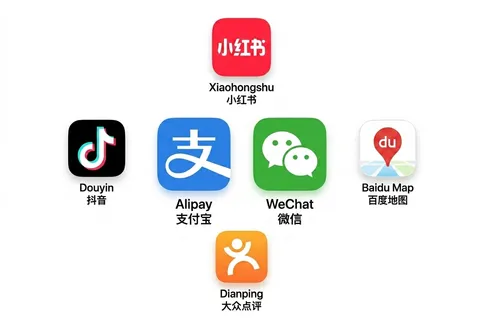
China blocks Google, Instagram, WhatsApp, YouTube, and most Western sites. A working VPN is the single most important thing to set up before you fly — because the app stores that sell VPNs are blocked too once you land.
The one rule:
install before you arrive
Download and test your VPN at home. If you wait until you’re in China, you may not be able to download it at all.
What actually works in 2026
Most free VPNs are blocked or painfully slow. Two paid services consistently get through:
- NordVPN — fast, reliable, with obfuscated servers built for restrictive networks. Get NordVPN here.
- ExpressVPN — slightly pricier, also dependable.
Compare your options
| Option | Type | Ease | Rough cost | Best for |
|---|---|---|---|---|
| NordVPN | Commercial VPN | ★★★ one app, one tap | ≈$4–6/mo (longer plan) | Most travellers — simplest, with obfuscated servers |
| ExpressVPN | Commercial VPN | ★★★ one app | ≈$7–9/mo | A dependable backup if Nord struggles on the day |
| Astrill | Commercial VPN | ★★ | ≈$15–20/mo | A long-time expat favourite in China (but pricey) |
| 机场 (Shadowsocks / V2Ray) | Proxy subscription | ★ more setup | from ≈$2–5/mo | Tech-savvy users who want the fastest, cheapest route |
| Free VPNs | — | — | free | ❌ Mostly blocked or unusably slow — don’t rely on these |
Prices are approximate (2026) — check the current deal before buying, and always install before you fly.
A note on speed and stability: with any VPN, how quickly it connects and how stable it stays depends a lot on the traffic load of the server (node) you pick. A nearby but congested server can feel slower than a busier one. If a connection is sluggish or keeps dropping, switch to a different server (try another Hong Kong, Japan, Singapore or Taiwan location) until you find one that’s fast right now — the best node changes by time of day.
Quick setup
- Buy and install the app at home.
- Turn on obfuscated servers (sometimes called “stealth” mode).
- Connect to a nearby server — Hong Kong, Japan, or Singapore are usually fastest.
- Test that Google loads, then you’re set.
The other option:
机场 (proxy services)
Beyond traditional VPN apps, many tech-savvy travellers and locals use a 机场 (jīchǎng, literally “airport”) — a subscription proxy service built on protocols like Shadowsocks, V2Ray and Trojan. You buy a subscription, then load it into a client app on your phone or laptop.
- Pros: often faster and cheaper than a commercial VPN, and frequently more reliable at slipping past the firewall.
- Cons: more setup, and quality varies a lot between providers — pick a reputable one and, as always, set it up before you arrive.
Desktop clients (Mac & Windows)
If you go this route, you import your subscription link into a client:
- Windows — Clash for Windows / Clash Verge, or V2RayN.
- Mac — ClashX / Clash Verge, or V2RayU.
- Phones — Shadowrocket (iOS) or the official Clash/V2Ray apps (Android).
These clients let you switch between server “nodes” and route only blocked traffic. A commercial VPN like NordVPN is still the simplest choice — one app, one button — but a 机场 is a popular, often better-performing alternative if you don’t mind the extra configuration.
Use these tools only to access your own everyday services (email, messaging, maps) while travelling, and download/configure everything before you reach China.
Tips
- Keep mobile data and a VPN — hotel Wi-Fi sometimes blocks VPN traffic.
- Save the offline setup guide; support sites can be blocked too.
- A VPN can slow your connection, so connect only when you need blocked apps.
Still stuck? Get personal help
VPN and 机场 setup can be fiddly, and getting it wrong before you fly means no Google, maps or messaging once you land. If you’d like a hand — choosing the right option, installing it, or troubleshooting — I offer one-on-one help for a small fee. Get in touch on the contact page and I’ll walk you through it.